
FLSA Survey Settings
FLSA Survey Settings set how often JobNav expects Federal FLSA questionnaires to be refreshed. This is the setting behind Review Overdue alerts on the Federal FLSA Dashboard.
Only a JobNav Admin can change this setting. Operators can use the dashboard and submit questionnaires, but can't edit the SLA here.
Where to find it
Settings > Organization Settings > Federal FLSA
The Federal FLSA tab only shows up if JobNav is enabled for your org and you have JobNav Admin permission.
Setting the review cycle
This lives under FLSA Survey Timelines, with the field FLSA Survey Cycle SLA.
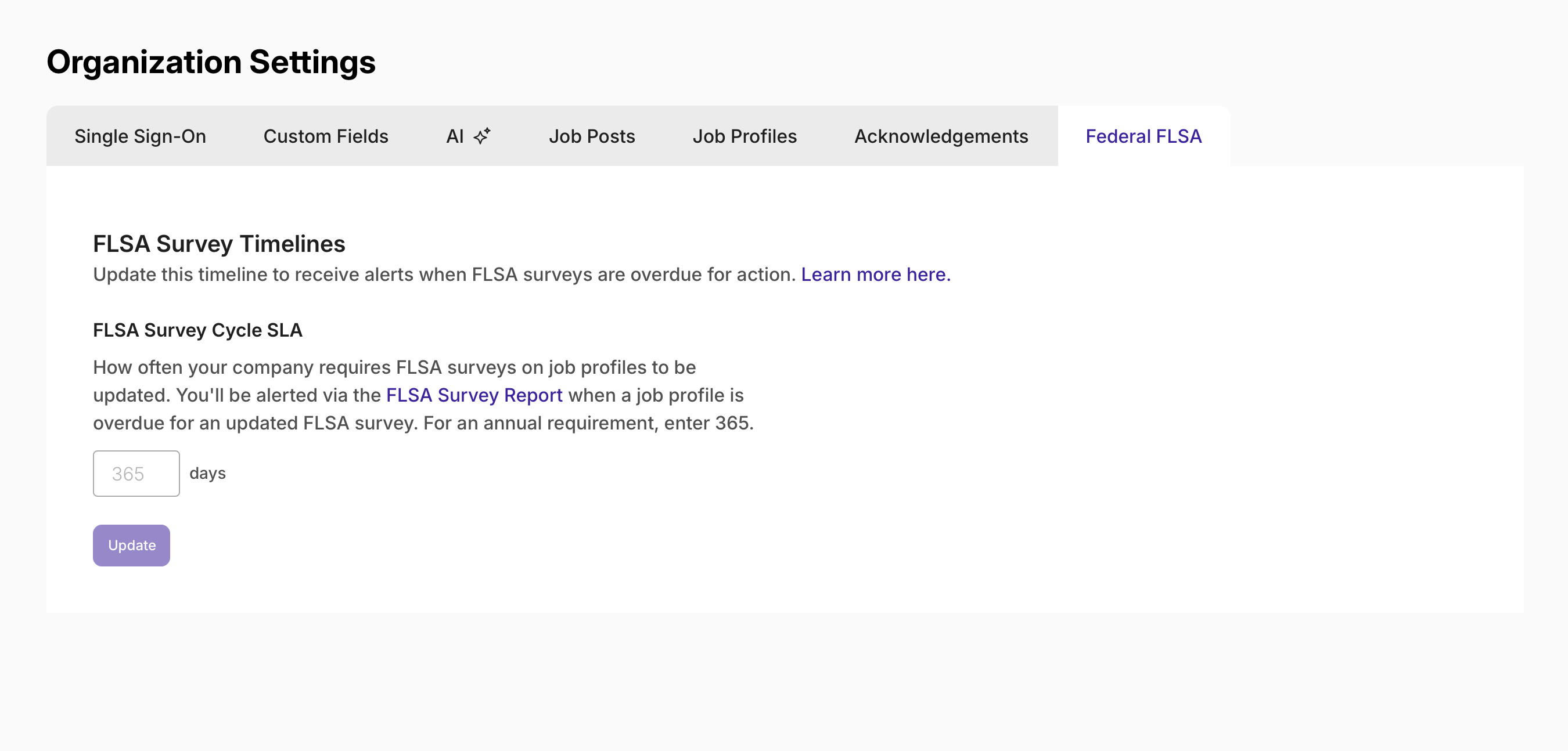
This lives under FLSA Survey Timelines, with the field FLSA Survey Cycle SLA (Service Level Agreement) Enter the number of days your company allows between FLSA survey updates on a job profile. Once a profile's last submission passes that threshold, it shows as overdue. Learn more about the Out-of-SLA alert here.
| If your requirement is | Enter |
|---|---|
| Annual review | 365 |
| Every 18 months | 548 |
| Every 2 years | 730 |
Enter a whole number of days and click Update. The field only accepts whole numbers, no text or decimals.
What changing this actually affects
Once a profile's last Federal FLSA submission is older than the SLA you've set, it gets a Review Overdue alert (you may see it labeled just Overdue in some views). That shows up in three places: the summary cards on the Federal FLSA Dashboard, the FLSA Status Alerts column, and the profile preview panel. Full detail on what that alert means is in Federal FLSA Alerts.
One thing worth knowing: changing the SLA doesn't touch any existing submissions. It only changes the point at which a profile starts counting as overdue going forward.
Reverting to the default
If you've changed the SLA away from the system default, you'll see a Revert to Default link under the field. Clicking it opens a confirmation, since it removes whatever custom value you'd entered. Confirm to restore the default SLA.
Who can access this page
Only admins can view or edit this page. This is a clean split from the dashboard itself: Operators handle day-to-day compliance work on the Federal FLSA Dashboard, but only Admins configure the review cycle that drives it.
FAQs
What if we haven't set an SLA yet?
No problem. If no SLA is configured, the Out-of-SLA alert simply won't be active and no profiles will be flagged for this reason. You can set it up whenever you're ready.
Who can update these settings?
Only Admins have access to the FLSA Settings page.
If we change the SLA, does it affect surveys that are already on file?
Yes, the new threshold applies to everything currently on file right away. If you shorten the SLA, you may see more profiles flagged as Out-of-SLA immediately after saving, which is expected.